Edit Workspace
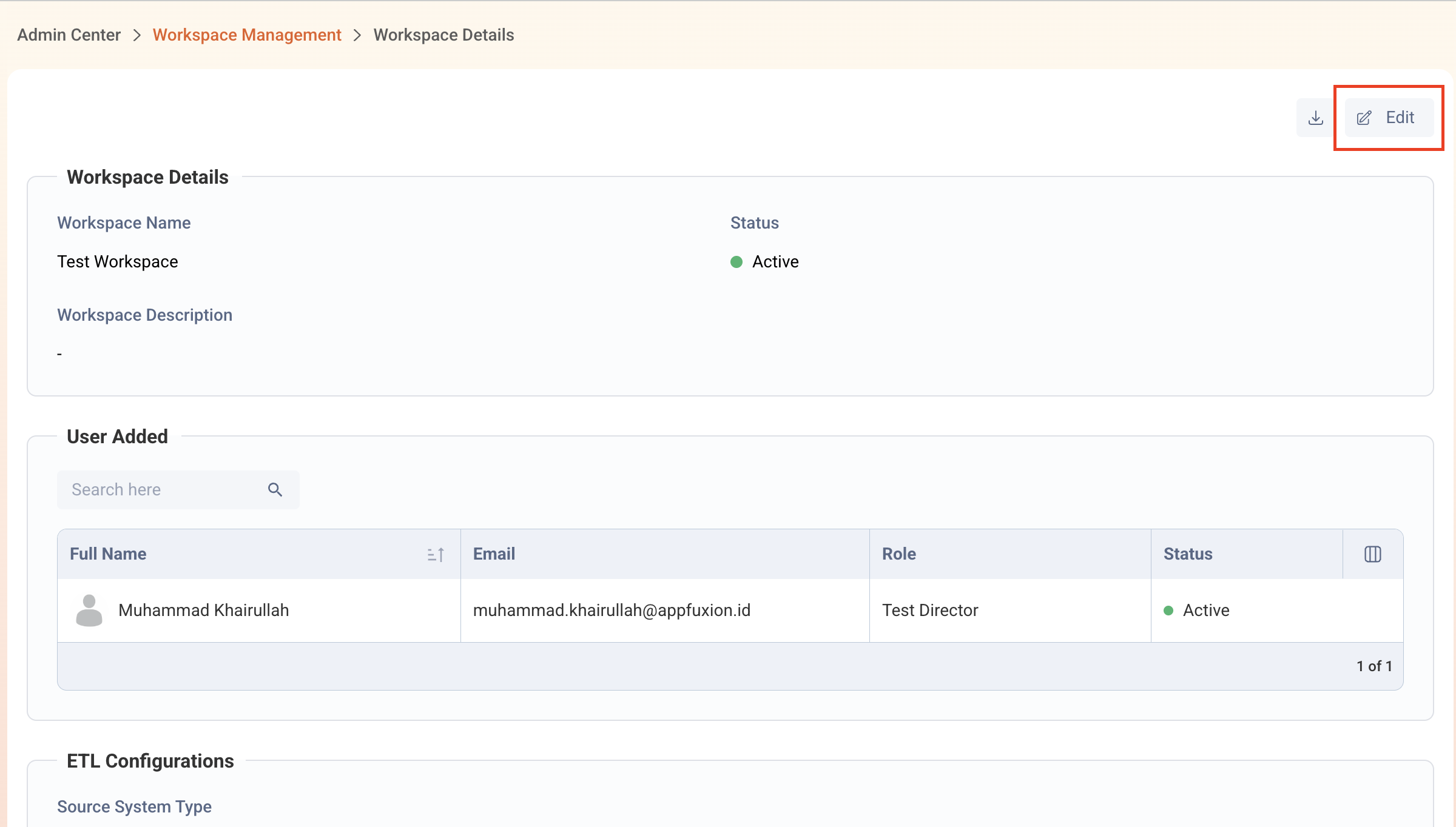
Selecting Edit Workspace (either from the row actions on the Workspace List,
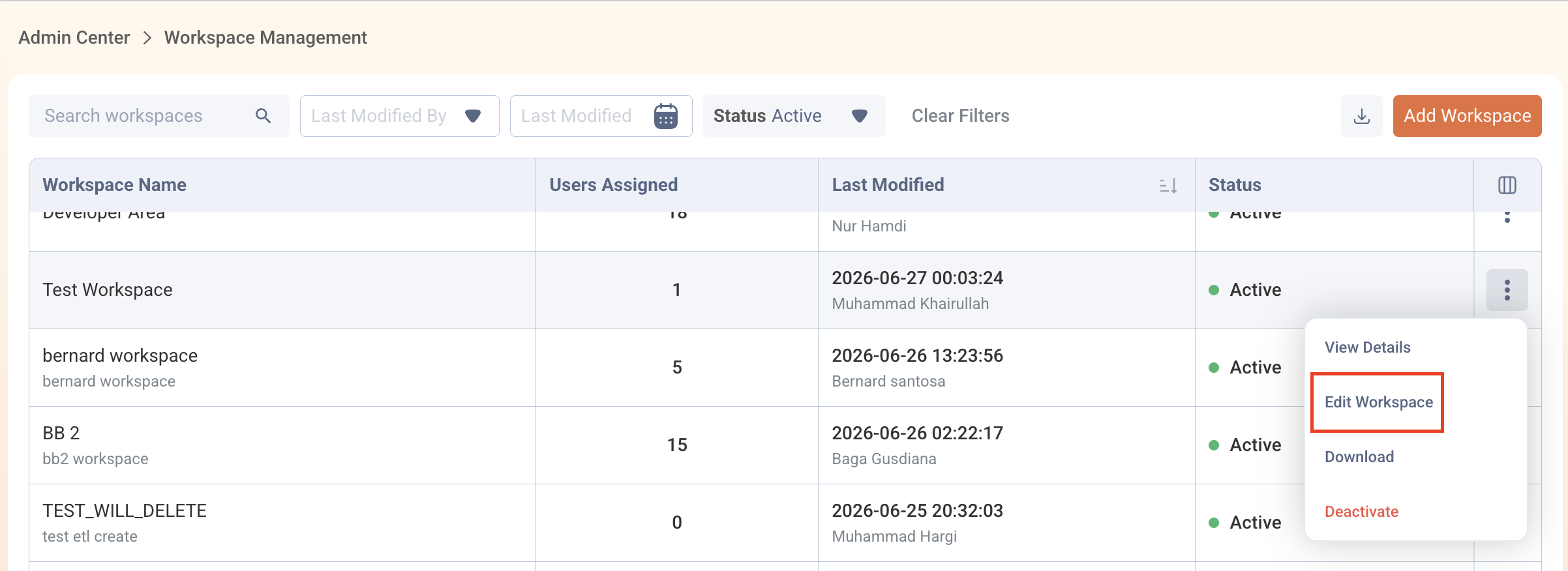
or from the View Details page) opens the same form as Add Workspace, pre-filled with the workspace's existing data.
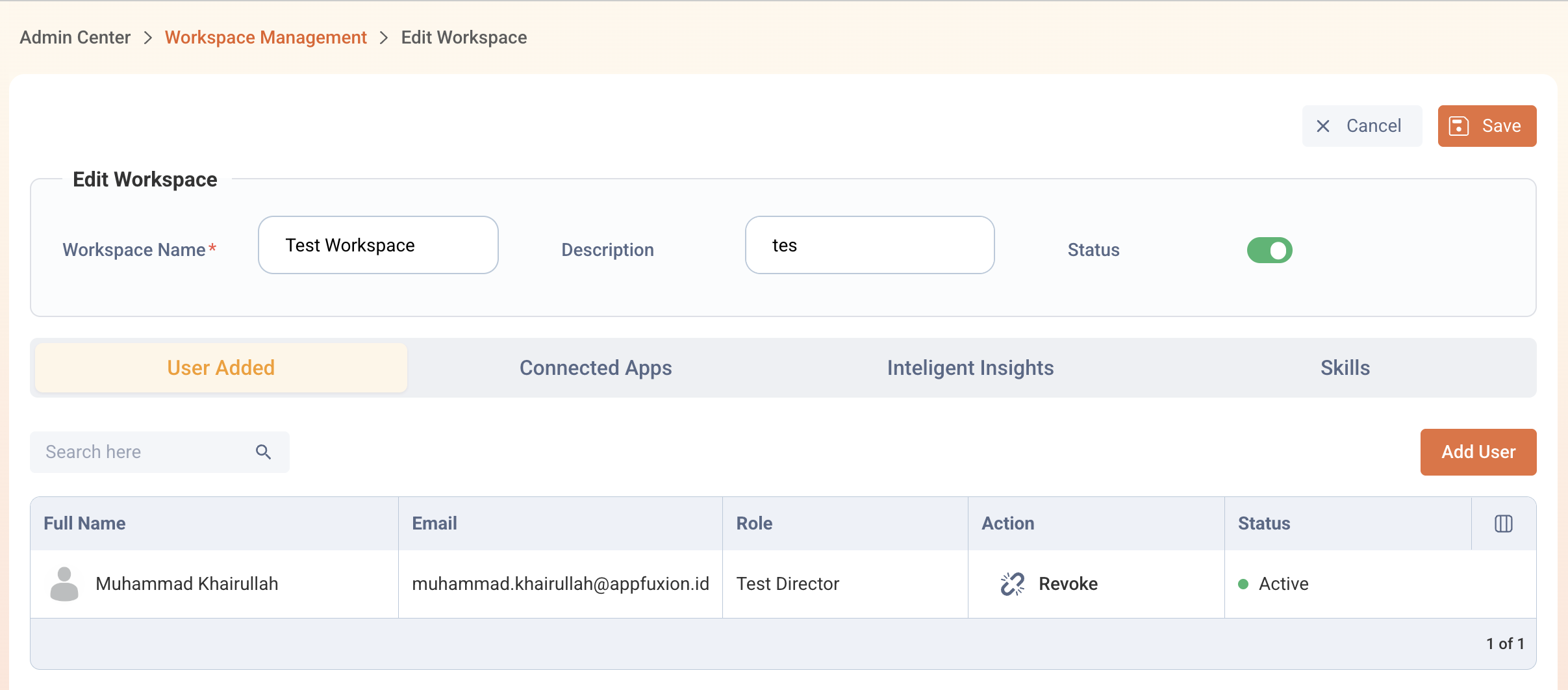
Update any field or tab the same way as when creating a new workspace, then click Save to apply the changes, or Cancel to discard them.
